> For the complete documentation index, see [llms.txt](https://docs.upsellwp.com/llms.txt). Markdown versions of documentation pages are available by appending `.md` to page URLs; this page is available as [Markdown](https://docs.upsellwp.com/example-scenarios/apply-discount-to-product-add-on-offer.md).
# Apply Discount to Product Add-On Offer
Learn how to offer 10% discount for a Cap through Product Add-On campaign on the T-shirt product page.
#### **Introduction:**
In this scenario, when the customer opens the product page of the t-shirt they have a discount for the Cap of 10% on the product page.
**Creating an offer:**
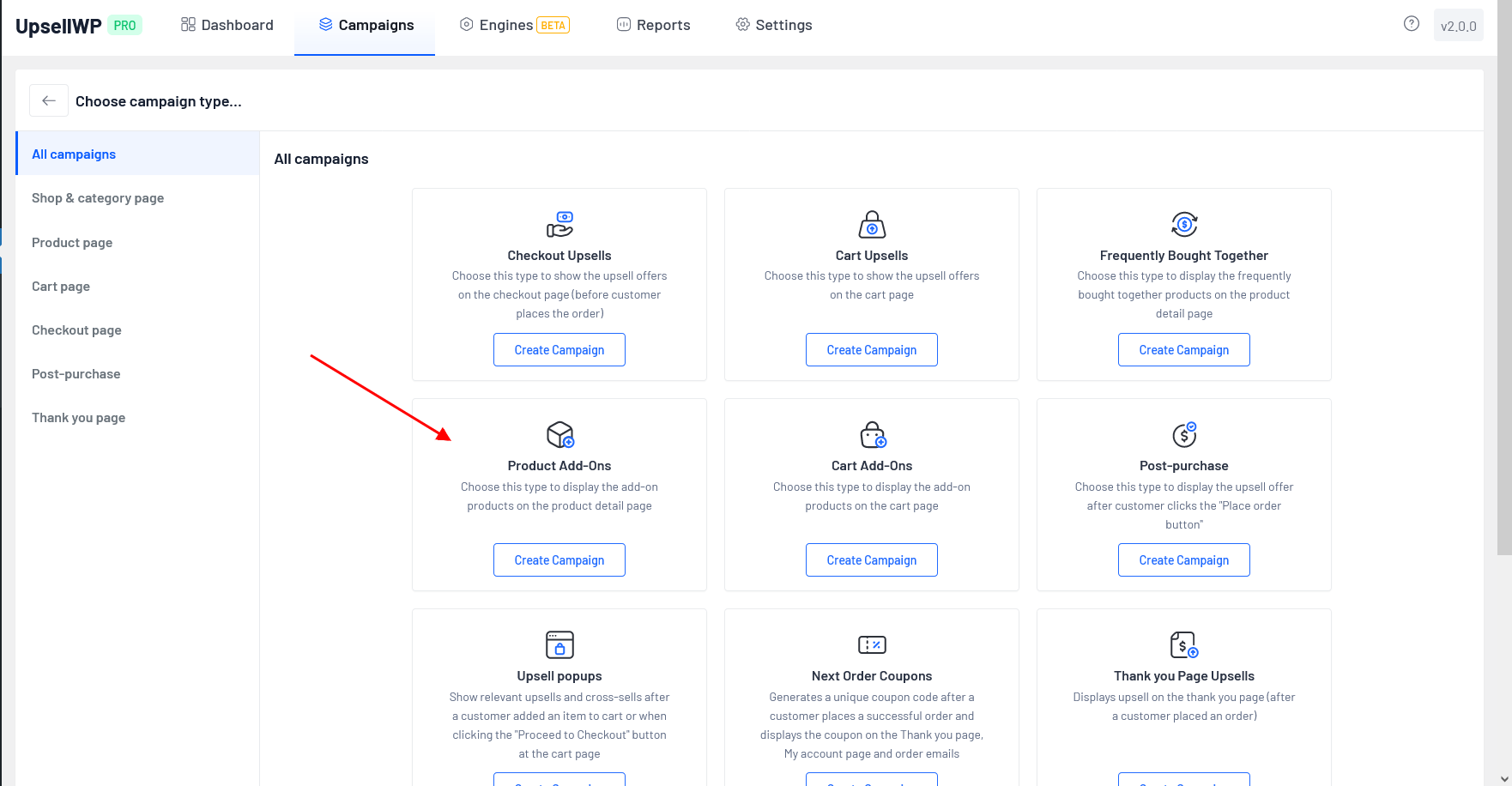
* Go to WordPress dashboard -> UpsellWP -> Create New Campaign -> choose “Product Add-ons”
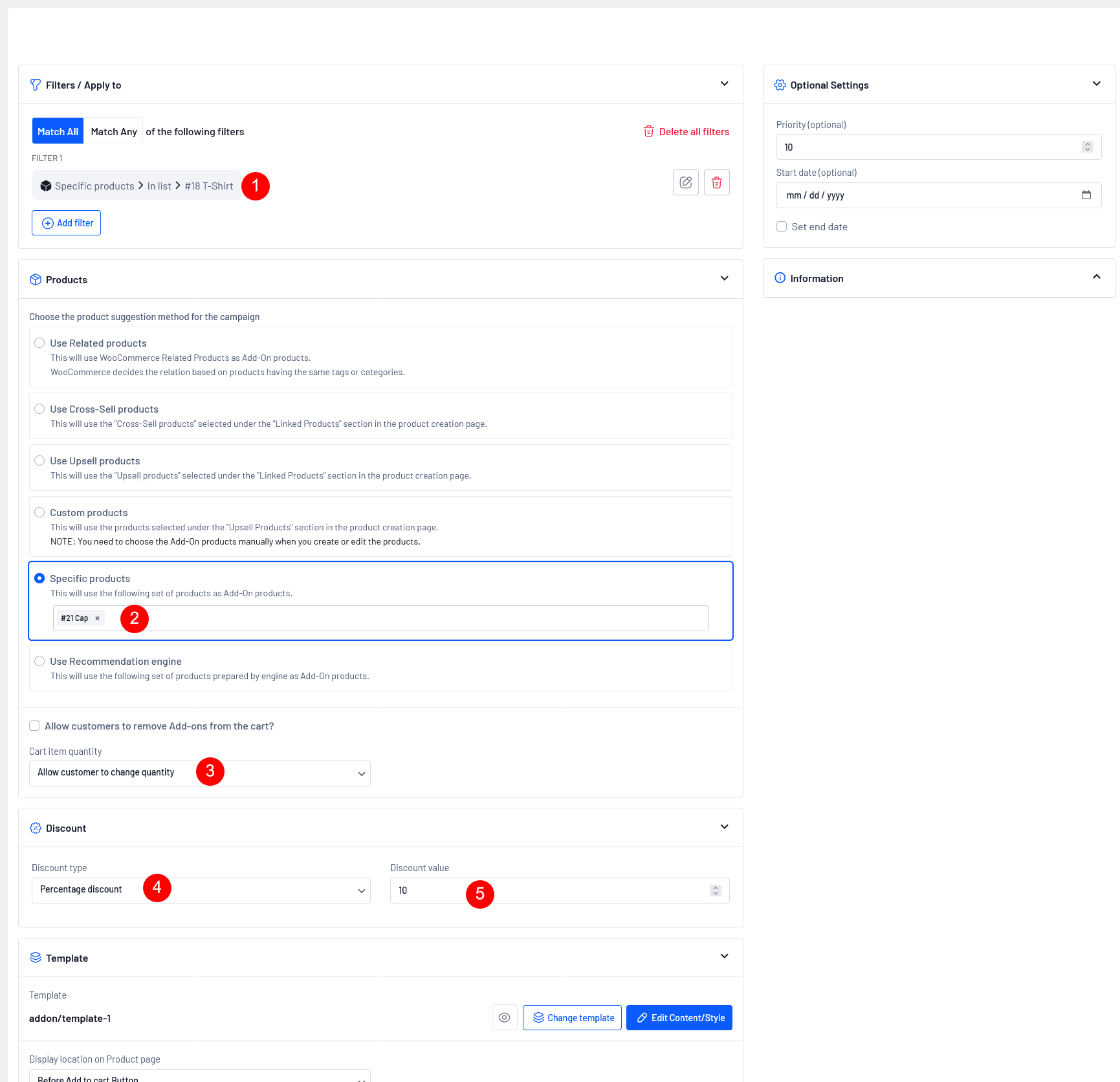
**Here is the screenshot of the offer configuration that follows,**
#### **The details of the configurations are:**
**Step 1:** Choose the Specific Product "T-shirt" in the filter section you want to display on the product page by typing a few characters of the product name.
**Step 2:** Choose the Product suggestion method as "Specific Product" and choose "Cap" by typing a few characters of the product name.
**Step 3:** Choose the Cart item quantity field as "Allow customer to change quantity" This allows the customer to choose the Product Add-on product quantity manually.
**Step 4:** Finally, set the discount type as Percentage Discount and set the value as 10%
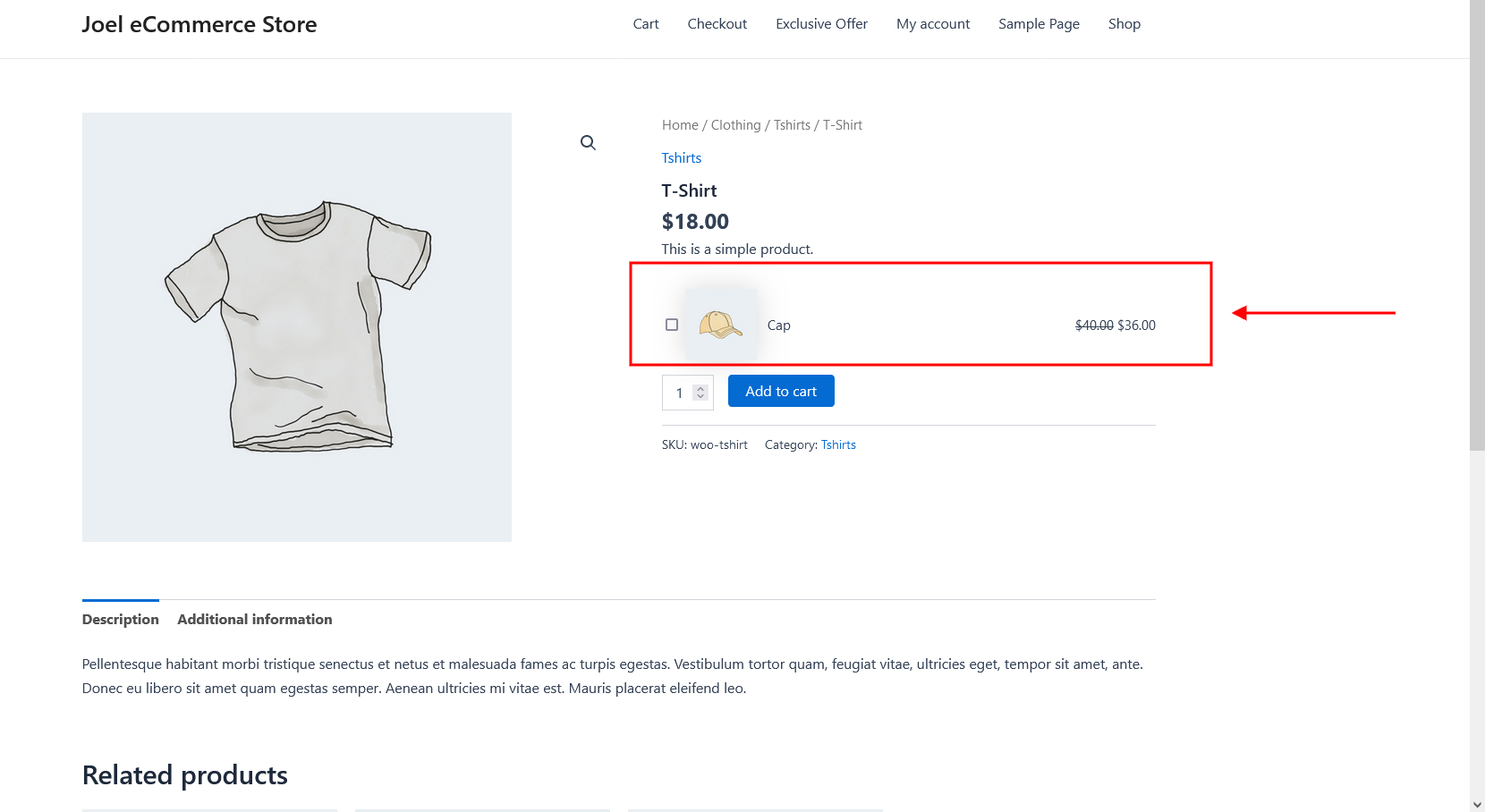
Now, we have successfully created a Product Add-on campaign, Let's see how it works on the Product page.
Now the offered Product Add-on product has been successfully displayed on the product page. Please make sure you select the checkbox to use the offered Add-on product.
{% hint style="warning" %}
Above discussed scenarios require PRO
[Get UpsellWP PRO](https://upsellwp.com/)
{% endhint %}
Still unclear?
If you need any assistance, please create a[ support request](https://upsellwp.com/support/) in our ticket system. We are always happy to assist you :)