> For the complete documentation index, see [llms.txt](https://docs.upsellwp.com/llms.txt). Markdown versions of documentation pages are available by appending `.md` to page URLs; this page is available as [Markdown](https://docs.upsellwp.com/example-scenarios/laptop-and-mouse-frequently-bought-together.md).
# Laptop & Mouse: Frequently Bought Together
Learn how to create Frequently bought together campaign using UpsellWP where a Mouse is displayed as "Frequently Brought Together" in the Laptop Product page.
Introduction
In this scenario, when a customer wants to buy a laptop, display other items that are often bought with a Laptop on the product page.
This user guide explains how to create a Post-purchase Campaign using UpsellWP
{% hint style="warning" %}
Please note that before proceeding, you must have installed and activated the UpsellWP. It is important to note that this feature requires the PRO version.
[Get UpsellWP PRO](https://upsellwp.com/pricing/)
{% endhint %}
#### Creating an offer:
* Go to WordPress dashboard -> UpsellWP -> Create New Campaign -> choose “Frequently bought together”
* Choose a Specific product and click on the button “Add filter”
* Selecting "Custom products" gives you the ability to manually assign the related products.
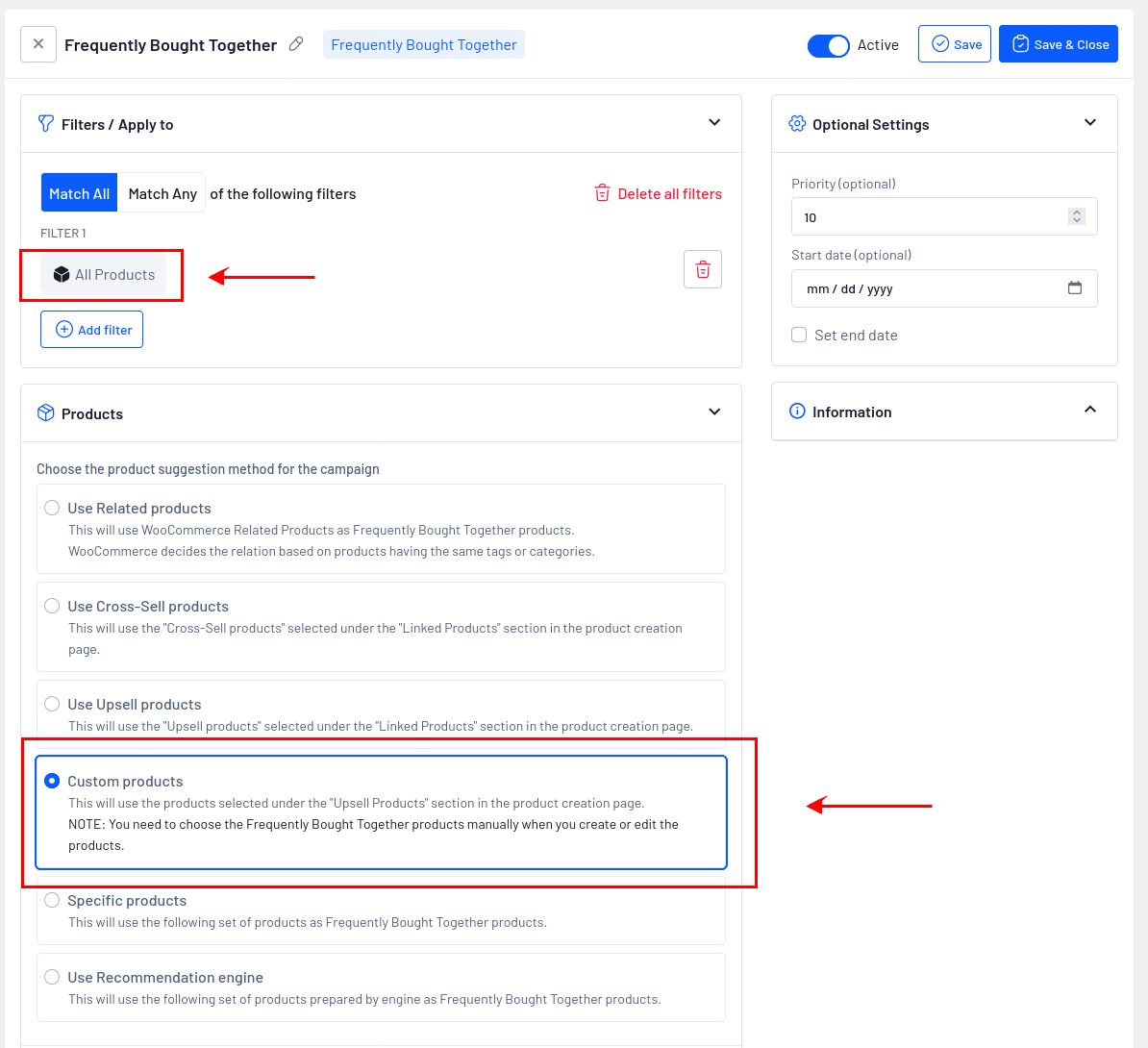
**Here is the screenshot of the filters and product suggestion method configuration that follows,**
#### Details of configurations are:
**Step 1:** Choose “All Products” in the filters and select “Custom product” in the product suggestion method for the campaign. After updating these settings, you need to choose the frequently bought products manually when you create or edit the product.
**Step 2:** Now click “Save and close” the campaign
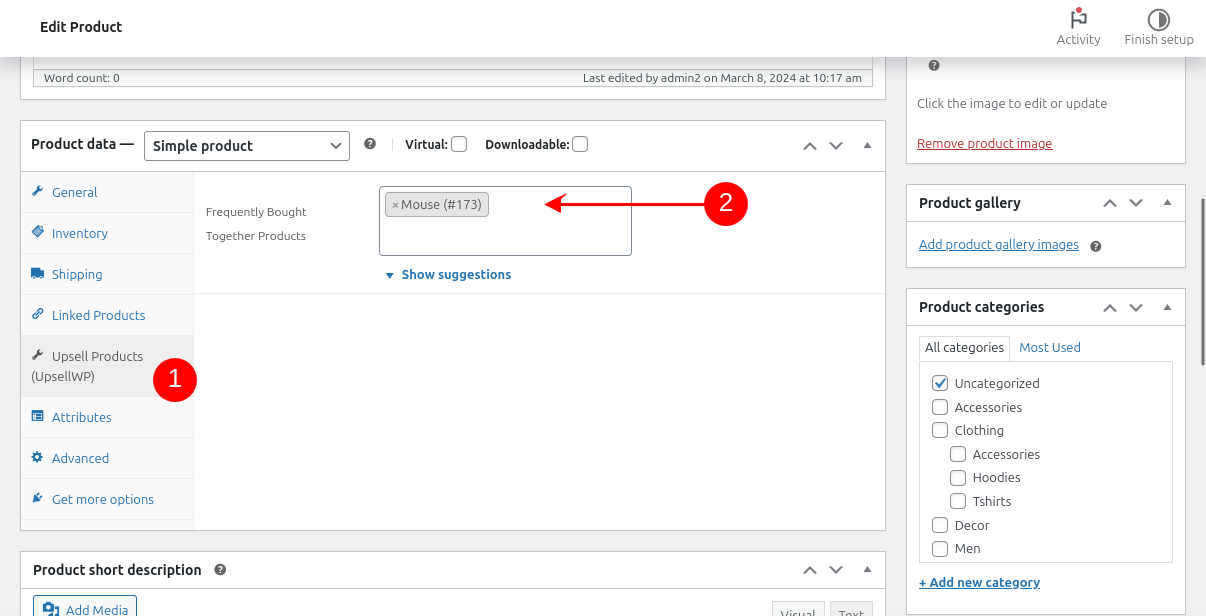
**Step 3:** Now there is an option to set Frequently bought together products in the back-end, you can add the frequently bought together products
**Here is the screenshot of the adding Frequently bought together configuration that follows,**
Now, we have successfully created an offer,
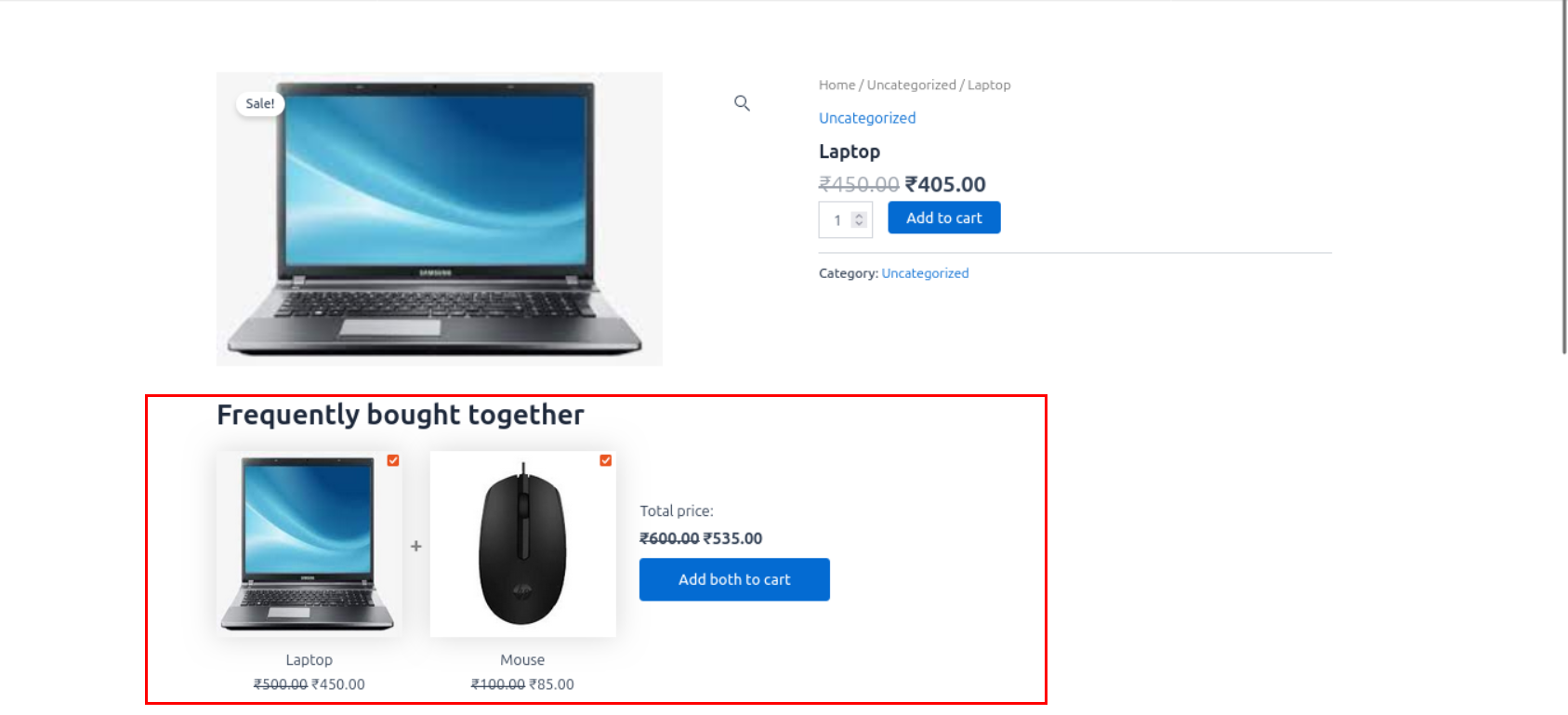
Let's see how it works on the product page.
Now the created campaign has been successfully displayed on our product page. By clicking “Add all three to cart” you can avail of all two products in one click.
{% hint style="warning" %}
Some of the above discussed scenarios require PRO
[Get UpsellWP PRO](https://upsellwp.com/pricing/)
{% endhint %}
If you need any assistance, please create a [support request](https://upsellwp.com/support/) in our ticket system. We are always happy to assist you :)